![tomis white.png]](https://support.tomis.tech/hs-fs/hubfs/tomis%20white.png?height=42&name=tomis%20white.png)
Test Chatbot
Preview and test your chatbot before changes go live
You'll find this under Chatbot > Test Chatbot in the left-hand navigation.
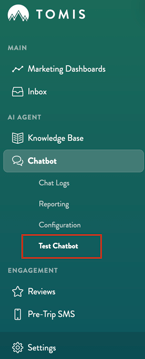
This page loads a live preview of your chatbot so you can try out changes — new FAQs, updated Quick Replies, a new Personality prompt — before your guests ever see them.
Test Mode and Your Chat Logs
Every conversation you start on this page is automatically marked as test mode. It won't affect your Reporting numbers, and you'll find these conversations in your Chat Logs marked with an orange test tube icon — so it's easy to tell your own test runs apart from real guest conversations.
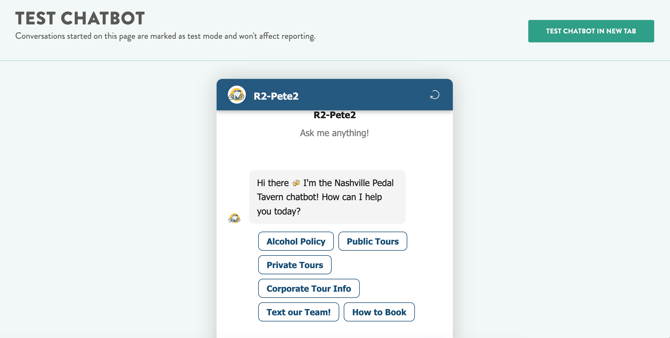
TIP: Since the bot considers earlier messages in a conversation when it responds, refresh the page between tests to start with a clean slate.
Test Chatbot in New Tab
Click Test Chatbot in New Tab to open the same live preview in its own window, with a shareable link. Use it to have a teammate — or anyone outside your TOMIS account — try the bot without giving them access to the full app.